
A platform for piano classes
Manage students and assign piano tests, in one app
Teachers write note-reading and theory questions on a virtual piano, assign tests to the whole class and follow each student’s progress. Students play on their phone, are graded automatically and see their result at once.
Free for teachers and students. Parents with a class code enter it in the app.
Download on theApp Store
Download on theGoogle Play
Coming soon
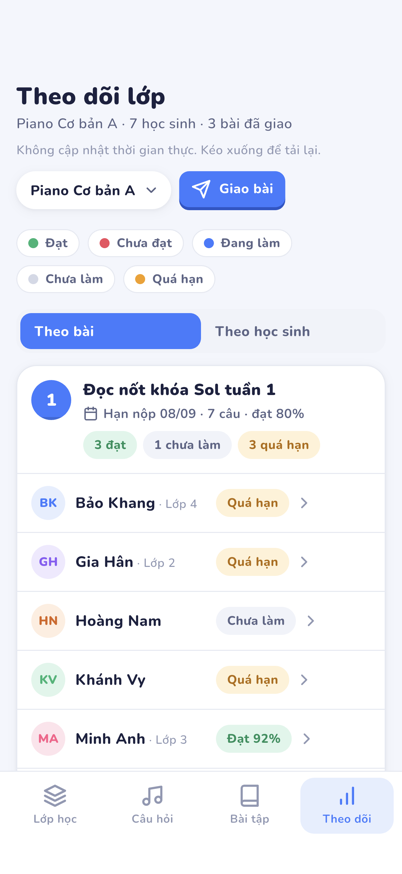
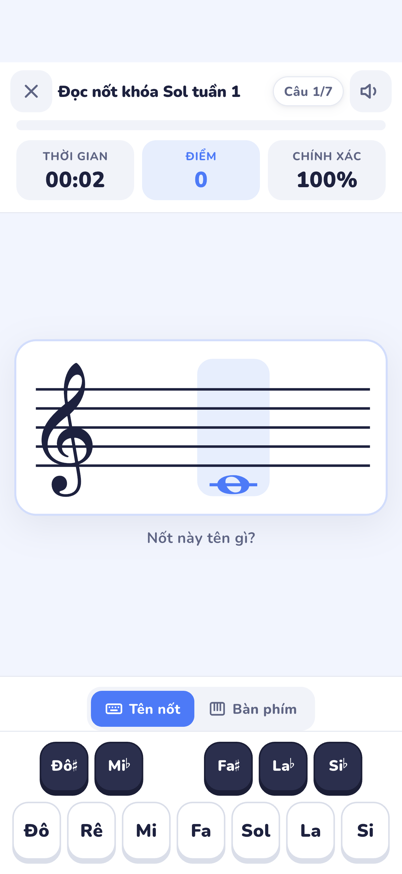
Every note graded automatically
How it works
From a class to a test in three steps
The whole flow runs on a phone. Teachers need no computer, students need no email.
Teachers
Set up the class, write questions, assign and follow
1
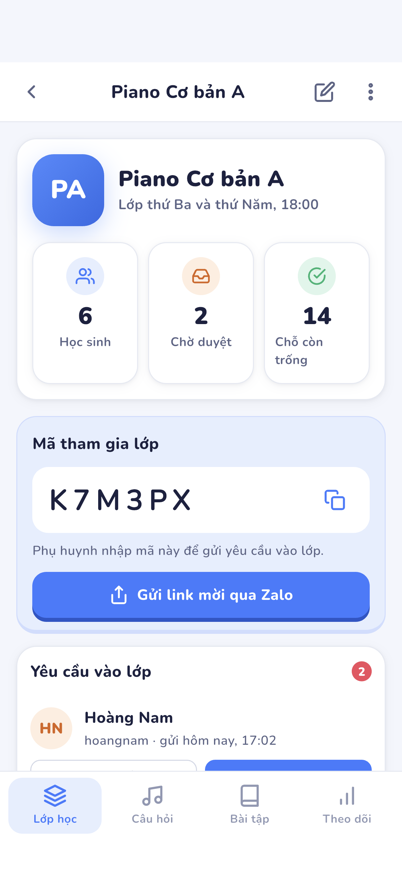
Create a class and invite students
Each class has a six-character join code. Send the invite link on Zalo, approve the request, and the student is in.
2
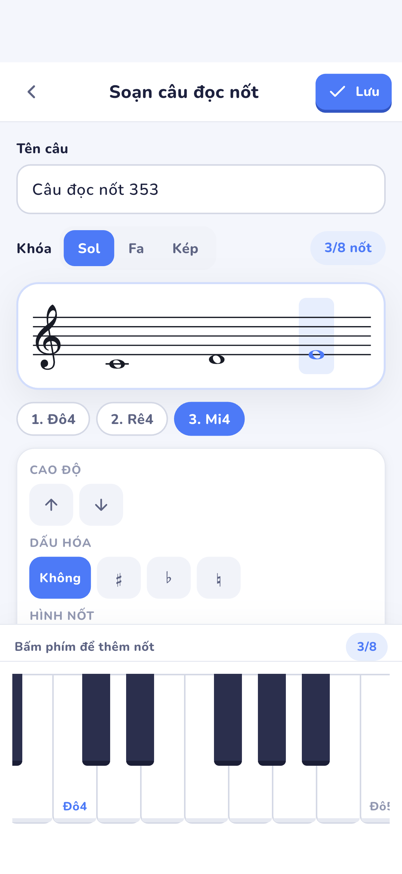
Write questions on a virtual piano
Press a key and the note lands on the staff. Note-reading and multiple-choice questions go into your bank and combine into tests.
3
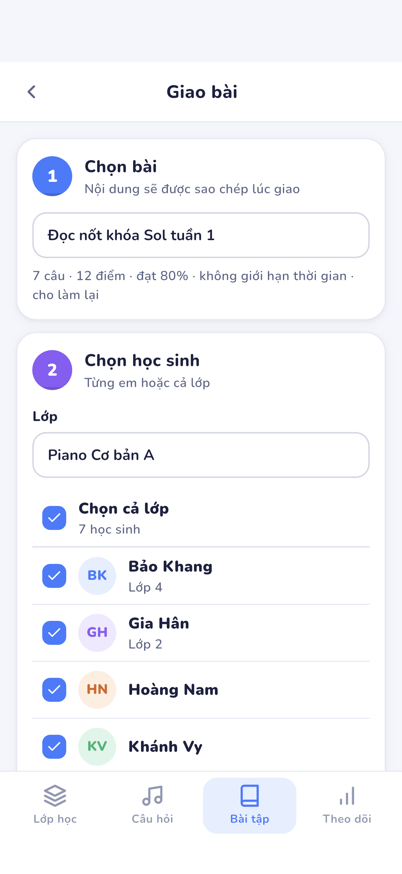
Assign and follow progress
Assign to the whole class or to one student, set a due date. The board shows who has played, who passed, who needs a reminder.
Students and parents
Join with a code, play, see the result
1
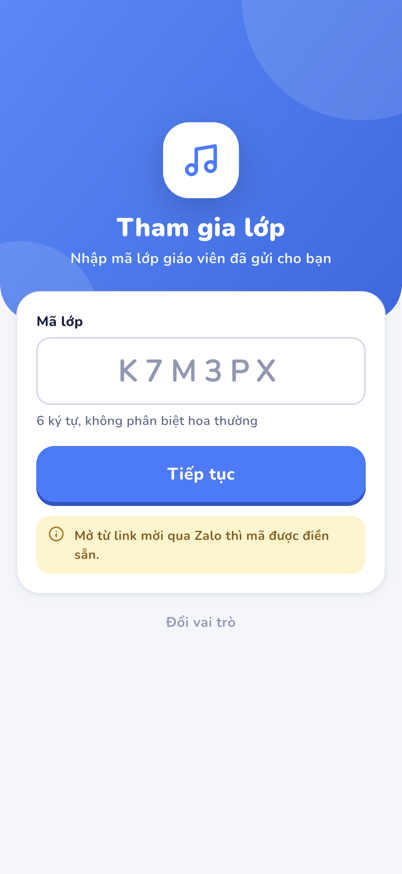
Enter the class code
Open the app and type the code the teacher sent, or tap the invite link. The app shows the class name and logo to confirm.
2
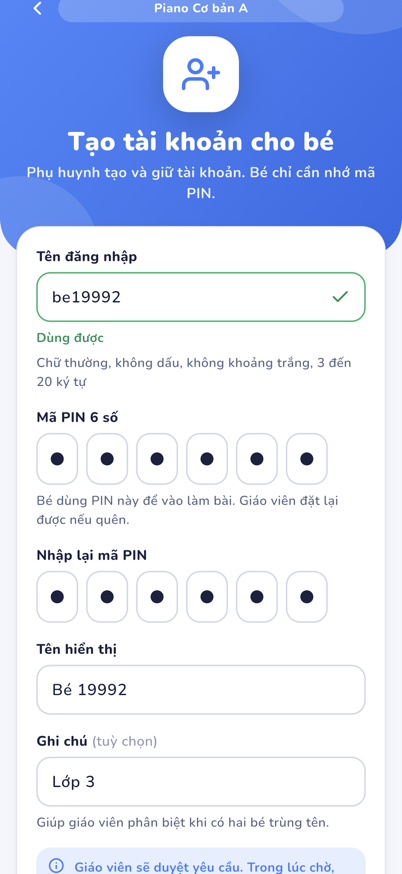
Create the student’s account
A parent picks a username and a six-digit PIN. No email or phone number. The teacher approves, and that is it.
3
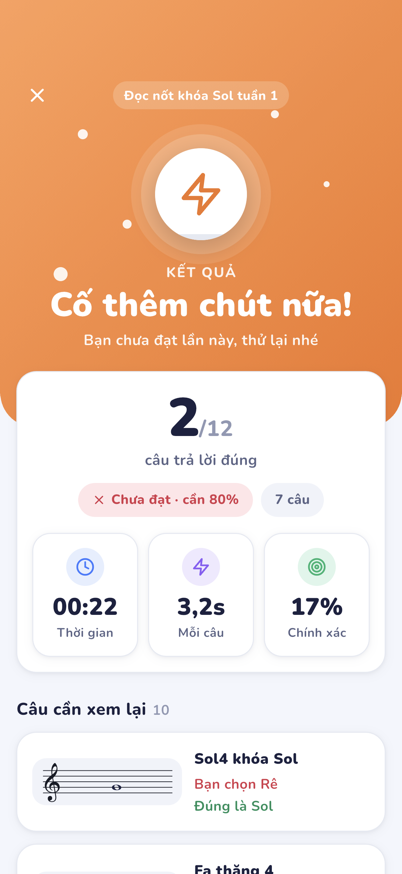
Play and see the result at once
Each test is a run of note-reading and multiple-choice questions. Finish, and the score, the time and the questions to review are right there.
Features
Everything a piano class needs, nothing it does not
Piano Class covers the three things a teacher does every week: prepare the work, hand it out, and know where every student stands.
Manage the students in a class
Create classes, invite students by code or link, approve requests, reset a PIN, and open each student’s profile.
Create homework and tests
Write note-reading and multiple-choice questions on a virtual piano, then combine them into tests with a pass mark, a time limit and retries.
Automatic grading, scores kept up to date
Every answer is graded the moment it is given. Scores and attempt counts update for the teacher without any marking by hand.
Progress reports
A board by test and by student, every attempt in detail, the notes each student misses most and their reading speed week by week.
A class that feels like yours
Each class has its own name, logo and colour. Assign per student with its own due date and pass mark. Note names as Đô Rê Mi or C D E.
FAQ
Frequently asked questions
Is Piano Class free?
Yes. Every feature is free for teachers and students. Nothing is sold in the app or on this site.
Does a student need an email or a phone number?
No. A parent creates the account with the class code, a username and a six-digit PIN. The student only remembers the PIN; the teacher can reset it.
Does a teacher need a computer?
No. Writing questions, building tests, assigning and following progress all work on a phone. On a tablet or the web, the board shows the whole class as a matrix and the editor adds a text box for typing notes.
How is student data protected?
No ads and no behaviour tracking. PINs are stored hashed, each teacher’s data is isolated at the database level, and every connection is encrypted. Details in the privacy policy.
How do I delete an account?
In the app, open Settings and choose Delete account: a student confirms with the PIN, a teacher retypes their email. Data is removed at once; backups age out after 14 days. See how to delete an account.
Start with your class today
Free, with every feature. Set up your first class in minutes.